
Top left star
Hero left decoration
Platform

An Agent That Audits, Builds
and Optimizes Google Ads

Sprites works inside your Google Ads account through the official API: it finds the waste, builds the campaigns, and runs the weekly optimization that an agency would bill for. You approve every change.
Google

Top right star
Bottom right star
Hero right decoration

Trusted by 200+ marketing teams

  • Rehive
  • Iris
  • Coplay
  • Startup Science
  • Remio
  • Wellfish
  • Lovon
  • DevScope

What Sprites does in Google Ads

Google Ads is the account most teams hand to an agency because the work never ends: search terms to review, negatives to add, budgets to rebalance, ads to refresh, a Merchant Center feed that disapproves products on a Friday night. Sprites is an AI ads agent that does that work in the account itself. It audits, researches keywords, builds Search and Performance Max campaigns, and runs the recurring optimization on a schedule.

Everything goes through the Google Ads API, and every change is staged for your approval before it reaches the account, so you get the execution of a managed service with the control of doing it yourself. This page goes into the Google-specific workflows; the Google Ads pillar covers the strategy and the results customers use it for.

How it works

Connect your accounts
1

Connect the account, get the audit

Authorize Sprites with Google and it reads campaigns, ad groups, keywords, search terms, assets, conversions and Merchant Center through the official APIs. The first thing back is an audit ranked by wasted spend.

Get insights and suggestions
2

Approve the fixes and the builds

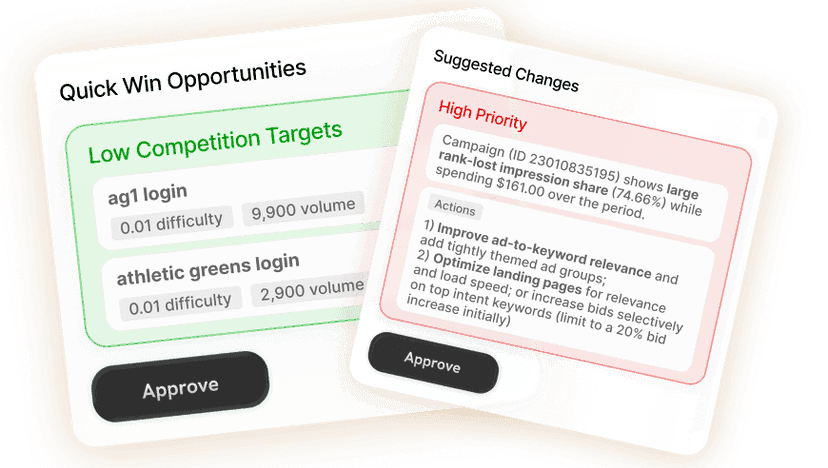
Negatives, budget moves, paused keywords, new campaigns: each arrives as a staged change with the reasoning and the numbers behind it. Edit what you like, reject what you do not, approve the rest.

Approve or create
3

Let the Autopilot run weekly

Schedule the optimization and Sprites repeats it every week: search-term review, bids and budgets, asset swaps, feed checks. Pre-approved change types apply automatically; everything else waits for you.

Each campaign type and what the agent does with it.

Campaign typeWhat Sprites doesWhat you get
SearchResearches keywords through the Google Ads API, groups them into tight ad groups, writes responsive search ads with up to 15 headlines and 4 descriptions, sets match types, negatives, bidding and budgets.A complete Search campaign staged for approval, plus a weekly search-term and bid review.
Performance MaxBuilds asset groups with headlines, descriptions, images and video, attaches audience signals and the right conversion goals, and reads asset performance to replace what is dragging.A PMax campaign with signals set and a report on which assets earn their place.
Shopping and Merchant CenterChecks the product feed for disapprovals, missing attributes and price mismatches, fixes what can be fixed through a supplemental feed, and reads Shopping performance by product and brand.Products back in auction and a list of feed issues with the fix applied or proposed.
Demand Gen and videoAudits existing Demand Gen and video campaigns at the asset level, tells you which creatives and audiences carry the results, and manages budgets and statuses on the schedule you set.Per-asset performance, with pause and scale changes staged for approval.

An audit that ends in changes, not a slide deck

The first run reads the whole account and returns the problems in the order they cost you money: search terms that convert nowhere, keywords cannibalizing each other across campaigns, ad groups with one ad, conversion actions that double count, budgets capped on the campaigns that convert and uncapped on the ones that do not. Each finding comes with the fix already staged, so approving the audit is the same act as cleaning up the account.

  • Wasted spend by search term, keyword, ad group and campaign
  • Conversion tracking, bidding and budget sanity checks
  • Asset and ad strength review with replacements drafted
  • A cleanup run that pauses, adds negatives and rebalances in one approval

Keyword research from the source, not a third-party estimate

Sprites pulls volumes, competition and cost estimates straight from the Google Ads API, so the numbers behind a keyword plan are the same ones the auction will use. It groups terms by intent, splits brand from non-brand, drops the queries your existing campaigns already cover, and turns the rest into ad groups with match types and starting bids. The same research feeds SEO when you want the organic side covered too.

Search and Performance Max builds you can read

A Search build from Sprites looks like one a careful specialist made: one theme per ad group, responsive search ads with pinned headlines where the offer needs to show, sitelinks and callouts, negatives applied from the start, and a budget sized to the keyword set. Performance Max builds get asset groups per product line or audience, audience signals from your customer lists and converters, and conversion goals scoped to the campaign rather than inherited by accident.

Duplicating a proven campaign into a new region, language or offer is one prompt: Sprites copies the structure, rewrites what should change and leaves the rest alone.

Optimization Autopilots that run every week

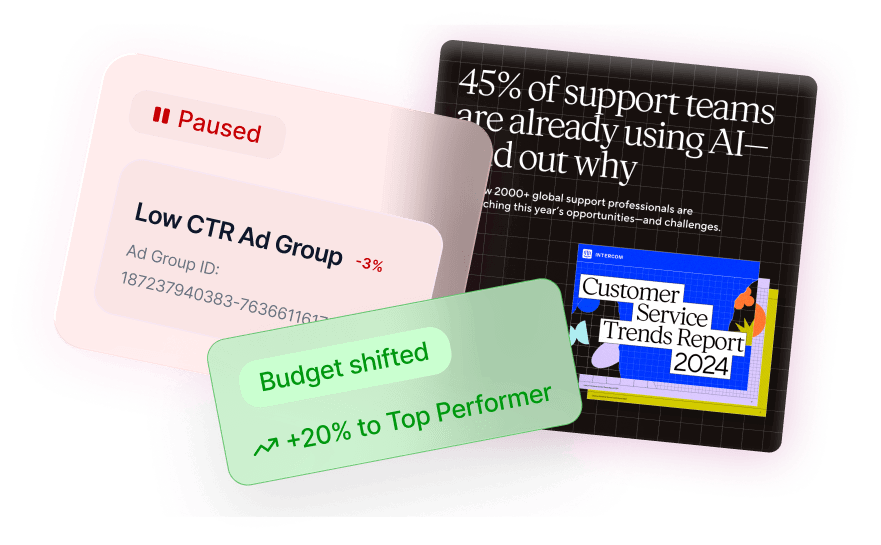
Set up a weekly run and Sprites reviews search terms and adds negatives, moves budget from campaigns under target to campaigns beating it, pauses keywords that spend without converting, swaps low-performing assets, and reports what it did. You decide which of those change types apply automatically and which wait for a click. The report only mentions what changed and what needs a decision.

Merchant Center feed fixes

Disapproved products mean Shopping and Performance Max campaigns quietly stop showing them. Sprites reads your Merchant Center account, lists the products with disapprovals, missing GTINs, wrong availability or price mismatches, and applies the fixes it can make through a supplemental feed with your approval. The rest come back as a list with the exact attribute to change.

Run it from Claude, or across every client

Sprites ships an official MCP server, so the same audits, builds and budget changes are available from Claude, ChatGPT, Grok or any MCP-compatible assistant, with the same Google integration and the same approval gates. Agencies run it across client workspaces with white-label reporting; in-house teams use it to run Google Ads alongside Meta, LinkedIn, TikTok and Reddit from one place.

Prompts you can run today

Each one opens in Sprites with the prompt pre-filled. Connect Google Ads and the agent starts with an audit.

Our Users Love Sprites

Growth Architects

“Sprites made us an AI-native agency. The quality and level of work we deliver now is on a completely different tier. It's not a tool we use, it's how we operate.”

Brooks Golden

Brooks Golden

Founder · Growth Architects

Rehive

“We took our ABM playbook back from two agencies and cut cost-per-lead by two-thirds in six weeks. Sprites turned our marketing into an in-house ads and content factory.”

Helghardt Avenant

Helghardt Avenant

Founder & CEO · Rehive

Coplay

“I've already recommended it to 4–5 other founders. It freed up time for strategic work while getting us users from ChatGPT and Google Ads on autopilot.”

Jos van der Westhuizen

Jos van der Westhuizen

CEO · Coplay

Discover case studies →

Frequently asked questions

Is Sprites an official Google Ads integration?

+

Yes. Sprites is a Google Partner and connects through the Google Ads API and the Merchant Center API. It reads and writes the same objects you see in the Google Ads interface, and nothing is written until you approve the staged change.

Which Google campaign types does Sprites handle?

+

It builds Search and Performance Max campaigns from scratch, and it audits, analyzes and optimizes every type in the account, including Shopping, Demand Gen and video: budgets, statuses, negatives, asset performance and feed health. Merchant Center checks and fixes are included.

How is this different from Google's own automation?

+

Google automates bidding and asset mixing inside a campaign; it will not tell you a search term is wasting money, restructure your ad groups or fix your feed. Sprites does the account-level work with your goals in mind and shows you the reasoning before anything changes.

Can I run Google Ads from Claude or ChatGPT with Sprites?

+

Yes. Through the Sprites MCP server you can ask Claude, ChatGPT, Grok or any MCP-compatible assistant for an audit, a campaign build or a budget change. It uses the same Google connection and the same approval gates as the Sprites app.

Does Sprites replace a Google Ads agency or freelancer?

+

For most accounts, yes. The audit, keyword research, campaign builds, weekly optimization and reporting are what the retainer paid for, and Sprites does them in the account. Your team keeps the goals and the approvals; the wasted spend it finds usually pays for the tool.

What if it makes a change I do not like?

+

Nothing applies without approval unless you have pre-approved that type of change for an Autopilot, and every applied change is logged so you can reverse it. Most teams pre-approve negatives and small budget moves and keep new campaigns and pauses on manual approval.

Run Google Ads in-house with an agent that does the work

Sprites audits, builds and optimizes your Google Ads account through the official API and waits for your approval before anything changes. Start with a demo on your own account.