
Top left star
Hero left decoration
Use case

Ecommerce Growth
Run by an AI Ads Agent

Sprites builds and runs your Shopping, Performance Max and Meta sales campaigns, keeps the product feed clean and moves budget to the products and audiences that return. You approve; it executes.
GoogleMetaTikTok

Top right star
Bottom right star
Hero right decoration

Trusted by 200+ marketing teams

  • Rehive
  • Iris
  • Coplay
  • Startup Science
  • Remio
  • Wellfish
  • Lovon
  • DevScope

What Sprites does for an online store

A store’s growth usually comes down to three loops: getting products in front of shoppers who are searching, retargeting the ones who looked, and moving budget toward the products and campaigns that actually return. Sprites runs all three. It connects to Google Ads, Merchant Center, Meta and Shopify through official APIs, builds Shopping and Performance Max campaigns from your catalog, creates Meta sales campaigns with lookalike and custom audiences, and reads revenue back from the store to decide where the next dollar goes.

It also does the unglamorous work that quietly caps ecommerce accounts: disapproved products in Merchant Center, missing GTINs, weak product titles, images that do not meet spec. Sprites checks the feed, stages the fixes and generates product imagery on new backgrounds when a listing needs it. Every campaign and change is approved by you before it reaches an account.

How it works

Connect your accounts
1

Connect the store and the ad accounts

Link Shopify, Google Ads, Merchant Center and Meta. Sprites reads your catalog, margins if you share them, pixel data and past campaign results, and sets a ROAS or cost-per-purchase target with you.

Get insights and suggestions
2

Approve the campaign plan

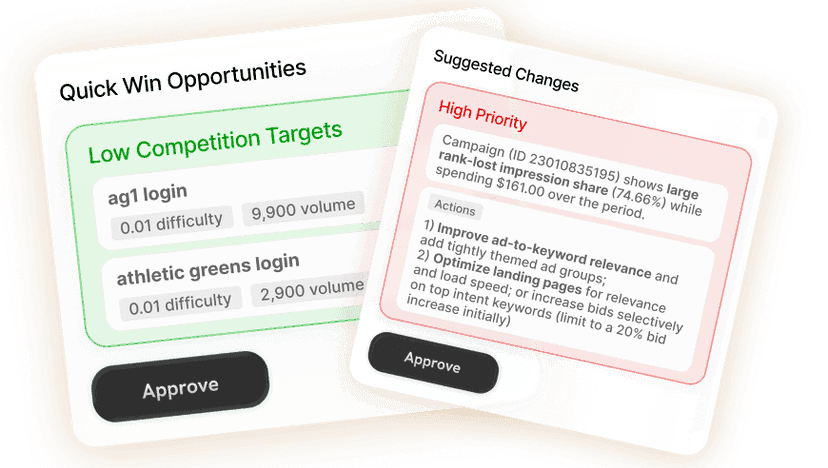
Sprites proposes Shopping and Performance Max structures by product group and margin, Meta sales campaigns with audiences and creative, and a starting budget split. Edit anything before launch.

Approve or create
3

Let Autopilot manage the account

A weekly run checks feed health, search terms, asset performance and ROAS by product, then stages budget moves, negatives and creative refreshes. You approve exceptions; routine changes run on their own.

The store growth loop, stage by stage

What the agent does for an ecommerce account and what you receive.

StageWhat Sprites doesWhat you get
Feed and catalogAudits Merchant Center for disapprovals, missing attributes and weak titles, stages the fixes, and generates product images on clean or lifestyle backgrounds for listings and ads.A clean, approved feed and ad-ready product imagery.
AcquisitionBuilds Shopping and Performance Max campaigns grouped by margin and product line, and Meta sales campaigns with lookalike audiences from your buyers.Campaigns staged for approval with budgets and targets set.
RetargetingCreates custom audiences from site visitors, cart abandoners and past buyers, with product creative and copy variants.Retargeting campaigns that pick up where the first click stopped.
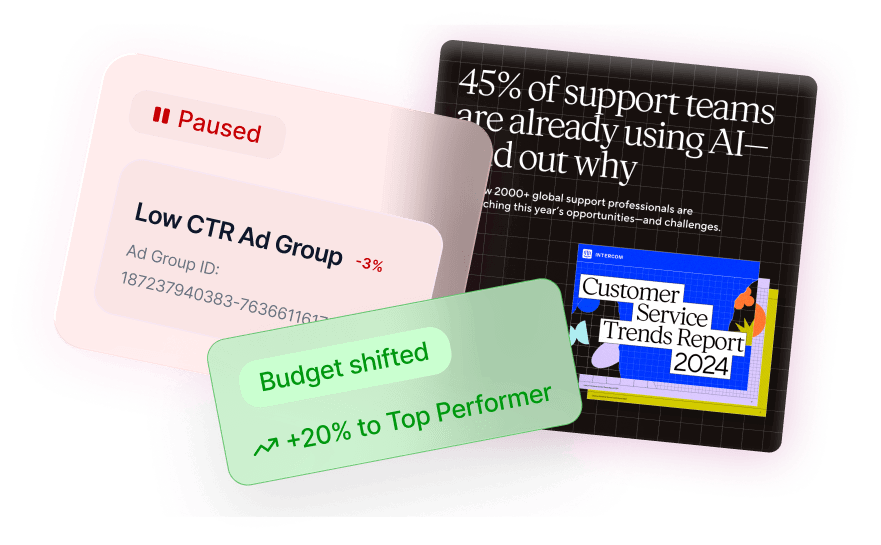
Budget by ROASReads revenue by product and campaign each week, moves budget toward what returns above target, pauses what does not, and reports the change.A weekly ROAS report with the budget moves it made.

Shopping and Performance Max that respect margin

Performance Max is easy to launch and hard to manage well. Sprites builds it with asset groups per product line, audience signals from your buyers, and a budget that reflects margin rather than treating every SKU alike. Then it does what the Google interface makes tedious: reviews asset performance, swaps weak headlines and images, checks which products get impressions and which are being ignored, and adds brand and irrelevant-term exclusions so the campaign does not cannibalize your own search traffic.

  • Product-group structure by margin and category, not one catch-all campaign
  • Search-term and placement reviews with negatives staged for approval
  • Asset checks with replacements drafted when a headline or image underperforms

Meta sales campaigns with audiences built from your buyers

Sprites creates Meta sales campaigns optimized for website purchases, builds lookalike audiences from your customer list and pixel events, and generates the ad variants to test: product-on-background images, hooks drawn from your reviews, formats for feed and Reels. It manages the pixel setup, duplicates winning campaigns to new audiences, and pauses ads whose cost per purchase drifts above target.

Feed fixes and product imagery without a designer

A disapproved product earns nothing. Sprites checks Merchant Center for disapprovals, missing identifiers, policy issues and titles that do not match how people search, then stages the corrections. For listings and ads that need better visuals, it places your product photos on new backgrounds and produces variants sized for each placement, so a new campaign does not wait on a photo shoot.

Budget decisions made on store revenue

With Shopify connected, Sprites reads orders and revenue rather than trusting platform-reported conversions alone. That lets it move budget by real return: more to the products and campaigns that clear your ROAS target, less to the ones that only look good in the ad platform. The weekly report shows spend, revenue and ROAS by campaign and product, and the moves it made.

Product and collection pages that rank

The same agent runs SEO for the store: keyword research for collection and product pages, technical audits, schema markup and articles published directly to Shopify. Paid and organic share one workspace, so a category that is expensive to buy can be earned instead.

Prompts you can run today

Each one opens in Sprites with the prompt pre-filled. Connect your store and ad accounts and the agent does the rest.

Our Users Love Sprites

Growth Architects

“Sprites made us an AI-native agency. The quality and level of work we deliver now is on a completely different tier. It's not a tool we use, it's how we operate.”

Brooks Golden

Brooks Golden

Founder · Growth Architects

Rehive

“We took our ABM playbook back from two agencies and cut cost-per-lead by two-thirds in six weeks. Sprites turned our marketing into an in-house ads and content factory.”

Helghardt Avenant

Helghardt Avenant

Founder & CEO · Rehive

Coplay

“I've already recommended it to 4–5 other founders. It freed up time for strategic work while getting us users from ChatGPT and Google Ads on autopilot.”

Jos van der Westhuizen

Jos van der Westhuizen

CEO · Coplay

Discover case studies →

Frequently asked questions

Which store platforms does Sprites connect to?

+

Shopify today, through the official integration, for orders, revenue and product data. Merchant Center and Google Ads handle the feed and Shopping campaigns, and Meta handles sales and retargeting campaigns. Stores on other platforms can still connect their ad accounts and Merchant Center.

Can Sprites fix Merchant Center disapprovals?

+

Yes. It audits the feed for disapprovals, missing GTINs and attributes, policy issues and weak titles, and stages the corrections for your approval. Fixing the feed is usually the first thing it does, because disapproved products cannot earn.

Does it replace our ecommerce ads agency?

+

For most stores, yes. Sprites does the campaign builds, feed maintenance, creative production, weekly optimization and ROAS reporting a retainer covers, inside your own accounts. Your team sets the target and approves the moves.

How does Sprites decide where to move budget?

+

By return. It reads revenue from Shopify and conversions from the ad platforms, compares each campaign and product against your ROAS or cost-per-purchase target, and stages moves toward what clears the target. Every move comes with the numbers behind it.

Can I run this from Claude or ChatGPT?

+

Yes. Sprites ships an official MCP server, so you can ask Claude, ChatGPT, Grok or any MCP-compatible assistant to check the feed, launch a campaign or move budget. The same integrations and approval gates apply as in the Sprites app.

Will it make changes to my campaigns without approval?

+

No. Every campaign, budget change, pause and feed fix is staged for your approval first. Once you have approved a category of routine change, the weekly Autopilot can apply it automatically and only bring you the exceptions.

Grow the store without an ads agency

Sprites runs Shopping, Performance Max, Meta and SEO for your store from one workspace. Book a demo and see it on your own catalog.