Sprites LogoSprites.ai
Product

Run and Optimize Ads

Goal Optimization (ROAS & CPL)

Goal Optimization (ROAS & CPL)

Meta Ads

Meta Ads

Google Ads

Google Ads

LinkedIn Ads

LinkedIn Ads

TikTok Ads

TikTok Ads

Create & Analyze Creative

Creative Analytics

Creative Analytics

Ad Generator

Ad Generator

Ad Hooks & Angles

Ad Hooks & Angles

Research & Intelligence

Competitor Intelligence

Competitor Intelligence

Market Research

Market Research

SEO & Web Traffic Analysis

SEO & Web Traffic Analysis

SEO & AI Visibility

AI SEO Content

AI SEO Content

AI Visibility (GEO/AEO)

AI Visibility (GEO/AEO)

SEO Site Audit

SEO Site Audit

Keyword Research

Keyword Research

By Use Case

B2B ABM

B2B ABM

D2C, Ecommerce & Brands

D2C, Ecommerce & Brands

Mobile Apps

Mobile Apps

PLG SaaS

PLG SaaS

SMB & Startups

SMB & Startups

Resources

Get a head start.

Research, examples, and prompts for better marketing.

Ads LibraryReal ads from Meta, Google, LinkedIn, TikTok, Reddit and more↗BlogIdeas and playbooks for modern marketing↗Prompt GalleryReady-to-run prompts for your next campaign↗
CustomersPricing
Get a demo
Get a demo
Sprites LogoSprites.ai
Product
CustomersPricing
Get a demo
Back

Run and Optimize Ads

Goal Optimization (ROAS & CPL)

Goal Optimization (ROAS & CPL)

AI-driven ROAS and CPL improvements across all ad accounts

Meta Ads

Meta Ads

Scale Facebook & Instagram campaigns with AI

Google Ads

Google Ads

Optimize Search, PMax, and Shopping campaigns

LinkedIn Ads

LinkedIn Ads

B2B targeting, sponsored content, and ABM

TikTok Ads

TikTok Ads

Short-form video campaigns and performance optimization

Create & Analyze Creative

Creative Analytics

Creative Analytics

Analyze winning hooks, angles, and ad concepts from competitors

Ad Generator

Ad Generator

Generate high-converting ad creatives for any platform

Ad Hooks & Angles

Ad Hooks & Angles

Research viral hooks and angles from Reddit, Instagram, and YouTube

Research & Intelligence

Competitor Intelligence

Competitor Intelligence

Deep analysis of competitor ads, SEO, and AI visibility

Market Research

Market Research

Uncover trends, audience insights, and market opportunities

SEO & Web Traffic Analysis

SEO & Web Traffic Analysis

Find SEO gaps, track rankings, and boost organic traffic

SEO & AI Visibility

AI SEO Content

AI SEO Content

Write and publish SEO-optimized articles automatically

AI Visibility (GEO/AEO)

AI Visibility (GEO/AEO)

Optimize your brand for generative AI search results

SEO Site Audit

SEO Site Audit

Comprehensive site audits with prioritized recommendations

Keyword Research

Keyword Research

Bulk and location-specific keyword research with AI insights

See all

By Use Case

B2B ABM

B2B ABM

Account-based marketing and B2B lead generation

D2C, Ecommerce & Brands

D2C, Ecommerce & Brands

Scale direct-to-consumer and ecommerce campaigns

Mobile Apps

Mobile Apps

User acquisition and in-app conversion optimization

PLG SaaS

PLG SaaS

Product-led growth campaigns and intent-based targeting

SMB & Startups

SMB & Startups

Fast, affordable ad management for growing teams

Top left star
Hero left decoration
Use case

Google Ads Optimization
That Runs Every Week

Sprites reads your account down to the search term, finds the waste and the winners, and stages the changes: negatives, bids, budgets, new ads, asset swaps. Approve them, and the loop repeats on Autopilot.
Google

Reddit
LinkedIn
Google
Sprites
Meta
TikTok
AI SEO
Top right star
Bottom right star
Hero right decoration
4.2x
average ROAS
-55%
avg CPL reduction
-76%
CAC reduction

What Sprites does inside your Google Ads account

Google Ads optimization is a list of small, repetitive decisions that nobody has time to make every week: which search terms to exclude, which keywords deserve more bid, which ad has quietly stopped earning clicks, which Performance Max asset drags the group down, which campaign is capped by budget while another cannot spend. Sprites makes those decisions from the data, explains each one, and stages it for approval through the official Google Ads API.

Start with the in-app prompt "Analyze my Google Ads account" and you get a diagnosis at campaign, ad group, keyword, asset and search-term level. Turn it into a weekly Autopilot and the same review runs every week, applies the changes you have pre-approved, and sends a short report on what moved. Most teams use it to replace the PPC agency or the freelancer who used to do the Monday pass.

How it works

Connect your accounts
1

Connect Google Ads and set the target

Link the account. Tell Sprites the goal, such as a cost per lead, a ROAS or lead volume at a CPA cap, and which conversions count. It reads campaigns, keywords, search terms, assets and budgets through the official API.

Get insights and suggestions
2

Review the first optimization pass

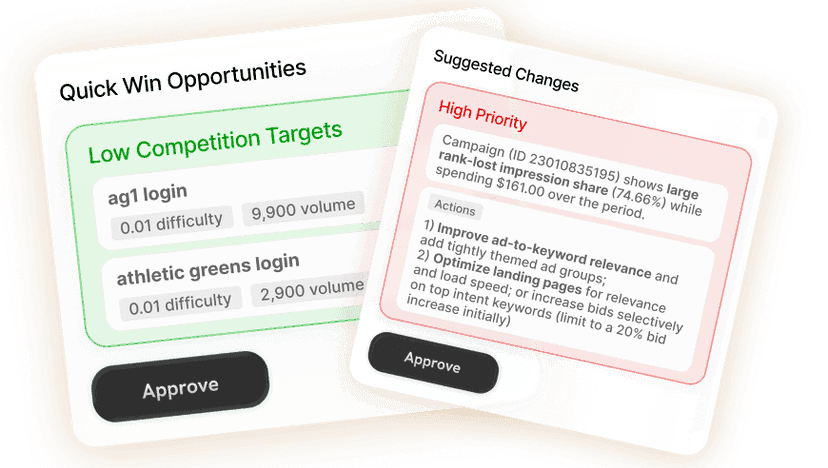
Sprites returns a ranked list of changes: wasted search terms to exclude, bids and budgets to adjust, ads to refresh, PMax assets to swap, campaigns to pause. Each has the numbers and the reason. Approve, edit or reject line by line.

Approve or create
3

Schedule the weekly Autopilot

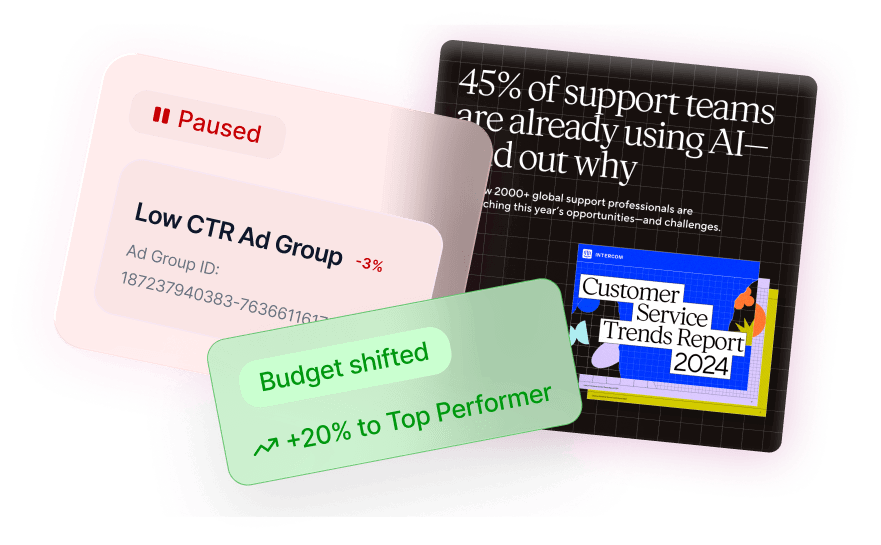
The same pass runs every week. Changes in categories you have approved are applied automatically; anything new or larger than your threshold waits for a decision. You get a report, not a dashboard.

The weekly optimization pass

What the agent checks and what it stages each week.

StageWhat Sprites doesWhat you get
Search-term miningReads every search term with spend, separates converting queries from waste, promotes winners to exact-match keywords and stages negatives for the rest at ad group, campaign or shared-list level.New keywords and negative lists, staged for approval.
Bids and budgetsFinds campaigns limited by budget with a good cost per conversion and campaigns spending without results, then proposes budget moves and bid strategy adjustments toward your target.Budget and bid changes with the expected effect on cost per result.
Ads and assetsFlags responsive search ads with weak strength or falling click-through, drafts replacement headlines and descriptions, and reviews Performance Max asset groups for low-performing images, headlines and videos.Refreshed ads and asset swaps ready to approve.
Account hygieneChecks conversion tracking, location and schedule settings, disapproved ads, duplicate keywords and cannibalization between Search and Performance Max.A short list of structural fixes, ranked by impact.

Search-term mining at the level a human skips

The search-term report is where Google Ads accounts leak money and where most people stop reading after the first page. Sprites reads all of it. It groups terms by intent, finds queries that convert but sit under broad match, promotes them to their own keywords, and stages negatives for the terms that spend without converting, choosing the right level so a negative in one campaign does not block a winner in another.

  • Winners promoted to exact or phrase match with their own bids
  • Negatives staged at ad group, campaign or shared-list level with the spend they save
  • Brand and competitor queries separated so reporting stays honest

Budget moved to where the next conversion is cheapest

Sprites compares cost per conversion, impression share lost to budget and conversion volume across campaigns, then proposes moving spend from campaigns that are saturating or missing target to the ones that could convert more at a good cost if they had room. It also reviews bid strategies and targets: a target CPA set too aggressively starves a campaign, one set too loosely wastes budget, and both are visible in the data.

Ad refreshes and Performance Max asset checks

Responsive search ads wear out. Sprites tracks click-through and conversion rate per ad, flags the ones that have dropped, and drafts replacements that reuse what is working in the headlines while testing new angles. For Performance Max it reviews asset performance per group, flags the images and headlines rated low, generates replacements, and checks for brand exclusions and search themes so PMax does not eat the traffic your Search campaigns already win.

A weekly Autopilot instead of a monthly agency call

Once you have approved the first pass, schedule it. Every week Sprites re-reads the account, applies the categories of change you have pre-approved, holds anything larger for a decision, and sends a report that only mentions what changed and why. Agencies run the same Autopilot across every client workspace with white-label reports.

Optimize from the Sprites app or from Claude and ChatGPT

Sprites ships an official MCP server, so you can ask Claude, ChatGPT, Grok or any MCP-compatible assistant to audit the account, mine search terms or move budget, and approve the staged changes there. Same Google Ads integration, same approval gates.

Prompts you can run today

Each one opens in Sprites with the prompt pre-filled. Connect Google Ads and the agent does the rest.

  • Account analysis“Analyze my Google Ads account”Run this in Sprites
  • Search-term cleanup“Review my search terms from the last 30 days, promote the converting ones to keywords and stage negatives for the terms that spent without converting.”Run this in Sprites
  • Performance Max asset review“Review the asset performance in my Performance Max campaigns and draft replacements for the headlines and images rated low.”Run this in Sprites
  • Budget reallocation“Find campaigns limited by budget with a cost per conversion under my target and propose where to move budget from.”Run this in Sprites

Our Users Love Sprites

Growth Architects
Growth Architects

“Sprites made us an AI-native agency. The quality and level of work we deliver now is on a completely different tier. It's not a tool we use, it's how we operate.”

Brooks Golden

Brooks Golden

Founder · Growth Architects

Rehive
Rehive

“We took our ABM playbook back from two agencies and cut cost-per-lead by two-thirds in six weeks. Sprites turned our marketing into an in-house ads and content factory.”

Helghardt Avenant

Helghardt Avenant

Founder & CEO · Rehive

Coplay
Coplay

“I've already recommended it to 4–5 other founders. It freed up time for strategic work while getting us users from ChatGPT and Google Ads on autopilot.”

Jos van der Westhuizen

Jos van der Westhuizen

CEO · Coplay

Discover case studies →

Frequently asked questions

What does Sprites actually change in my Google Ads account?

+

Negative keywords, new keywords promoted from search terms, bids and bid strategy targets, campaign budgets, ad copy, Performance Max assets, and campaign or ad statuses. Each change is staged with its reason and applied through the official Google Ads API only after you approve it.

How often does it optimize?

+

As often as you schedule it. Most accounts run a weekly Autopilot, which is frequent enough to catch wasted spend and creative fatigue without reacting to daily noise. You can also run a pass on demand before a budget change or a launch.

Does it replace a PPC agency or freelancer?

+

Yes, for most accounts. The weekly pass covers what a retainer does: search-term mining, negatives, bids, budgets, ad refreshes, PMax checks and reporting. Your team keeps the goal and the approval, and the retainer goes away.

Does Sprites handle Performance Max as well as Search?

+

Yes. It reviews Performance Max asset groups, flags low-rated assets and drafts replacements, checks brand exclusions and search themes, and looks for overlap between PMax and Search so the two do not compete for the same query.

Can I run this from Claude or ChatGPT?

+

Yes. Through Sprites’ official MCP server you can audit, mine search terms, move budget and approve changes from Claude, ChatGPT, Grok or any MCP-compatible assistant. It uses the same Google Ads connection and approval gates as the Sprites app.

Will it make changes without asking?

+

Only in categories you have already approved. The first pass is entirely manual approval. After that you choose which routine changes, such as adding negatives under a spend threshold, the Autopilot can apply on its own, and everything else waits for you.

Go deeper

  • PillarGoogle Ads AI agentCampaign builds, keyword research and weekly optimization by an agent.Read
  • TemplateGoogle Ads campaign optimizerA full optimization pass staged for approval.Read
  • TemplateAd account health checkerStructural and tracking issues ranked by impact.Read
  • CapabilityGoogle Ads analyzerCampaign, keyword, asset and search-term analysis in plain language.Read
  • GuideGoogle Ads optimization checklistThe weekly checklist and what to automate.Read
  • GuideGoogle Ads from Claude via MCPRun your account from an AI assistant.Read
  • GlossaryWhat is Performance Max?How PMax works and where it needs supervision.Read

Replace the PPC retainer with a weekly Autopilot

Sprites optimizes Google Ads and runs Meta, LinkedIn, TikTok, Reddit and SEO from the same workspace. Book a demo and see it on your own account.

Start 7-day trial
Get a demo

Get the free AI-First Marketing Playbook

Packed with proven tactics, creative inspo, and automation tips to help you grow faster with less guesswork.
By clicking send you agree to the Terms and Conditions

Pillars

AI Marketing AgentVibe MarketingAI VisibilityAI Marketing AutomationAI for Meta AdsAI for Google AdsAI for LinkedIn AdsAI SEOAds LibraryMCP Server

For Teams

For AgenciesFor EcommerceFor FintechFor HealthtechFor EnterpriseFor FreelancersFor Marketing Teams

Prompts Gallery

Marketing Campaign BuilderGoogle Ads Search Campaign BuilderCompetitor Meta Ads AnalyzerSEO Audit + Plan GeneratorGoogle Ads Campaign OptimizerGoogle Ads: PMax Campaign Builder

About

CustomersReviewsBlogTerms of ServicePrivacy PolicyDPACareersSitemap
Sprites TextWizard