
Top left star
Hero left decoration
Platform

After the Semrush Report,
an Agent Does the Work

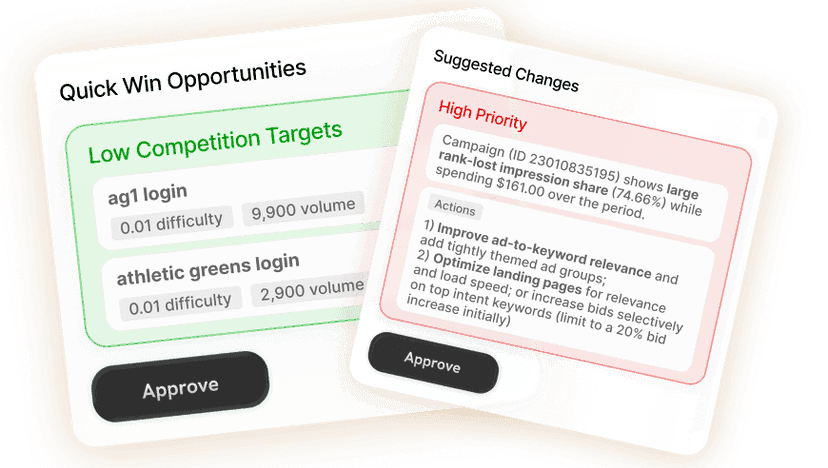
Sprites takes your Semrush keyword and competitor exports, or runs its own research, and executes the plan: articles written and published, technical fixes, internal links, and results tracked in Search Console.
AI SEO

Top right star
Bottom right star
Hero right decoration

Trusted by 200+ marketing teams

  • Rehive
  • Iris
  • Coplay
  • Startup Science
  • Remio
  • Wellfish
  • Lovon
  • DevScope

What Sprites does with Semrush data

There is no Semrush integration in Sprites, and this page will not pretend otherwise. What Sprites does is the part that comes after Semrush: the keyword gap report, the competitor domain export and the site audit CSV are lists of work, and Sprites is an AI agent that does the work. Upload the export and it clusters the keywords, decides what your site can realistically rank for, writes and publishes the articles, fixes the technical issues, adds the internal links and reads Search Console to see what moved.

If you do not have Semrush, Sprites runs its own keyword research, site audit and competitor analysis and reaches the same starting point. Either way, every change to your site is staged for your approval before it is published to WordPress, Shopify, Webflow or a custom CMS.

How it works

Connect your accounts
1

Upload the export, or skip it

Drop in a Semrush CSV: Keyword Gap, Organic Research, Site Audit or Backlink Gap. Sprites reads the columns as they are. No export? It researches keywords and audits the site itself and starts from there.

Get insights and suggestions
2

Get a plan sized to your site

Sprites filters the list by intent and what your domain can rank for, groups keywords into topic clusters, maps them to existing pages or new ones, and ranks the technical fixes by impact.

Approve or create
3

Approve, and it executes

Articles are written and published to your CMS, titles and pages are rewritten, internal links and schema added, fixes applied. A weekly Autopilot reads Search Console and reports which changes moved.

From export to published, tracked results

What each Semrush report becomes once Sprites has it.

Semrush reportWhat Sprites does with itWhat you get
Keyword GapDrops branded and irrelevant terms, groups the rest into topic clusters, checks which clusters your domain can plausibly rank for, and assigns each to an existing page or a new article.A content plan with clusters, target pages and the first drafts written.
Organic Research (competitor)Reads the pages earning a competitor's traffic, works out the format and angle that wins for each query, and drafts your version with what theirs is missing.Competitor-informed briefs and articles, ready to review and publish.
Site AuditTurns the issues list into fixes ranked by impact: titles, meta descriptions, broken links, redirects, missing schema, thin pages, and re-crawls your site to confirm what is real.Staged fixes for your CMS, applied once you approve.
Position trackingSprites reads Search Console rather than your Semrush project: clicks, impressions and positions per query and page, before and after each change.A weekly report on what each fix did, not just the site-wide line.

From a 4,000-row export to a plan you can ship

A keyword gap export is mostly noise: competitors' brand terms, queries with the wrong intent, head terms a new domain will not rank for this year. Sprites reads the file you upload, applies those filters, and groups what remains into topic clusters with a pillar page and supporting articles. Each cluster comes with the volume and difficulty from your export, the page it maps to, and the order to write in. Attach a Google Drive or OneDrive link instead of a file and it reads the same way.

  • Reads Semrush CSV exports as uploaded; no reformatting
  • Filters by intent, relevance and realistic difficulty for your domain
  • Maps every keyword to an existing page or a new article

Articles written and published to your CMS

Sprites writes the articles the plan calls for, in your brand voice and with the structure the top results share, then publishes them to WordPress, Shopify, Webflow or a custom site once you approve. It refreshes existing pages the export shows slipping, adds the sections that answer the query directly, and writes titles and meta descriptions that earn the click. Drafts land for review first; nothing goes live on its own.

Technical fixes from the audit, not a to-do list

Semrush's Site Audit gives you the issue count; Sprites gives you the fixed pages. It re-crawls your site to check which issues are still real, ranks them by traffic at stake, and stages the fixes it can make through your CMS: rewritten titles, redirects, schema markup, missing alt text, canonical tags, orphaned pages linked back in. The remainder come back as a precise list for a developer.

The cheapest ranking gain on most sites is an internal link from a strong page to one stuck in positions 5 to 15. Sprites finds those pairs using your export and Search Console, writes the anchor text in context, and adds the links across the site in one approved batch.

Tracking in Search Console, reported weekly

Rather than a rank tracker, Sprites reads Google Search Console: the clicks, impressions and positions Google actually recorded for each query and page. After each change settles it compares before and after per fix, keeps what worked and flags what did not. Set it as a weekly Autopilot and the report arrives with the next batch of work already staged. Most teams keep Semrush for external volume data and let Sprites handle everything after the report.

Prompts you can run today

Each one opens in Sprites with the prompt pre-filled. Upload your Semrush export in the chat, or let the agent research from scratch.

Our Users Love Sprites

Growth Architects

“Sprites made us an AI-native agency. The quality and level of work we deliver now is on a completely different tier. It's not a tool we use, it's how we operate.”

Brooks Golden

Brooks Golden

Founder · Growth Architects

Rehive

“We took our ABM playbook back from two agencies and cut cost-per-lead by two-thirds in six weeks. Sprites turned our marketing into an in-house ads and content factory.”

Helghardt Avenant

Helghardt Avenant

Founder & CEO · Rehive

Coplay

“I've already recommended it to 4–5 other founders. It freed up time for strategic work while getting us users from ChatGPT and Google Ads on autopilot.”

Jos van der Westhuizen

Jos van der Westhuizen

CEO · Coplay

Discover case studies →

Frequently asked questions

Does Sprites integrate with Semrush?

+

No. Sprites does not connect to Semrush's API. It reads the CSV exports you upload (keyword gap, organic research, site audit, backlink gap) and executes from them, or runs its own keyword research and audits if you do not use Semrush at all.

Which Semrush exports can I upload?

+

Any CSV or spreadsheet: Keyword Gap, Keyword Magic Tool lists, Organic Research for a competitor domain, Site Audit issues, Backlink Gap. Sprites reads the columns as exported and works from the keywords, volumes, difficulty scores and URLs inside.

Can Sprites replace Semrush?

+

For research and execution, most in-house teams find it does: keyword research through Google data, site audits, competitor analysis, content, technical fixes and Search Console tracking. Teams that want Semrush's third-party volume estimates and backlink index keep it for reporting and use Sprites for the work.

Does it publish to my site without asking?

+

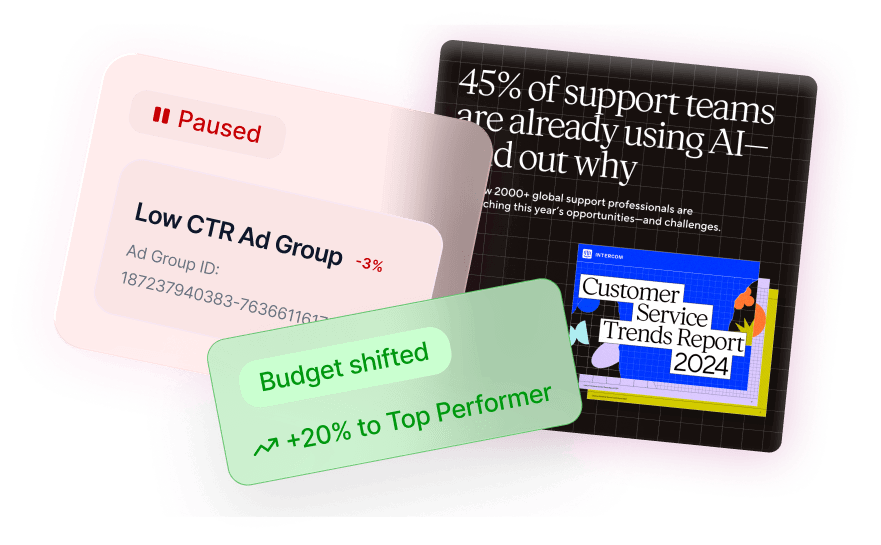
No. Articles, page edits, links and technical fixes are staged for approval before they reach WordPress, Shopify, Webflow or your custom CMS. Once you have approved a type of change, a weekly Autopilot can apply it and only ask about exceptions.

Can I do this from Claude or ChatGPT?

+

Yes. Sprites ships an official MCP server, so you can hand a Semrush export to Claude, ChatGPT, Grok or any MCP-compatible assistant and have Sprites cluster, write, fix and publish, with the same CMS connections and approval gates as the Sprites app.

How do I know the changes worked?

+

Sprites reads Google Search Console after each change settles and reports clicks, impressions and positions per query and page, before and after. You see the effect of each article, link batch or fix rather than a single site-wide trend line.

Stop paying to execute the report by hand

Sprites turns Semrush exports, or its own research, into published content, technical fixes and tracked results, with your approval at every step. Start with a demo on your own account.